Tutorial to setup CVS2 via Flycast on Fightcade 2
Capcom vs SNK 2 · Tutorial · 2020

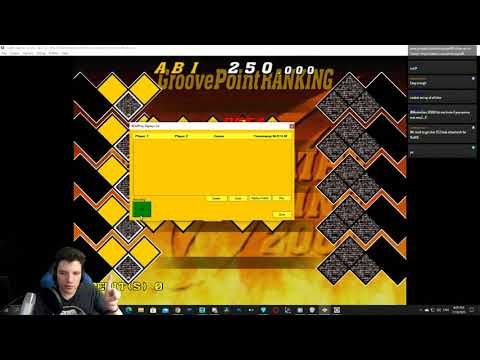
Learn how to get Capcom vs SNK 2 running on Fightcade 2 using the Flycast emulator in this quick setup guide from silentscope88. The tutorial walks through the essential steps to configure the game for online play, including where to find the romset and how to map controller inputs correctly—with a helpful note that heavy kick can be assigned to either button 6 depending on your setup. The video also covers real-world performance notes: while Flycast handles the game reasonably well, the creator encountered occasional desyncs during online matches and discovered the program crashes if you perform too many actions outside the game window. This is useful information for anyone planning to jump into online matches. The guide concludes with a reference to Blueminder on Twitter for troubleshooting if you hit any snags during installation. Whether you're revisiting a classic fighting game or trying Fightcade 2's newer emulator option for the first time, this breakdown provides the practical setup details you need to get started.
Original YouTube Description
This is a quick setup tutorial to get CVS2 running on Fightcade 2, using a new emulator Flycast.
Links
Controller input: https://i.imgur.com/CddxPgw.png (heavy kick can either be the left or right button 6 depending on your controller)
Overall, this seems to run pretty well but I did run into a few desyncs against a few players. Also the program seems to crash if you start…
Show more →
This is a quick setup tutorial to get CVS2 running on Fightcade 2, using a new emulator Flycast. Links Controller input: https://i.imgur.com/CddxPgw.png (heavy kick can either be the left or right button 6 depending on your controller) Overall, this seems to run pretty well but I did run into a few desyncs against a few players. Also the program seems to crash if you start doing too much outside of the game window. This was my very first time running this, so if you do try this and are experie
Source
From silentscope88's YouTube channel